Rooted In Revenue
Episodes

Apr 22, 2026
Apr 22, 2026
21 min
You did your homework from Key Man Part 1. You know who your key people are. Now what?
Susan Finch and Lany Sullivan are back — still in the same room, still making the most of Lany's four-hour drive to tackle the part most business owners skip: how to actually approach your team about documentation without triggering a panic spiral.
Someone's going to feel like their job is on the line. Someone's going to get squirrely. That's normal. Lany and Susan walk you through how to handle the egos, frame the conversation, and make documentation something your team actually gets behind.
Plus: why your money is really in your operations, the authenticator PSA you didn't know you needed, why you never put employee names in an SOP, and how to make the whole thing a little bit fun.
Part 2 of the Key Person series — don't skip Part 1.

Mar 18, 2026
Mar 18, 2026
18 min
Most business owners think they know who the key person in their organization is. They think of the CEO, the founder, the executive. But Susan Finch and Lany Sullivan have a different perspective, and once you hear it, you cannot unhear it.
In this episode, Lany opens with a concept borrowed from the insurance world: Keyman Insurance, which is an actual policy that protects a business when something happens to a critical individual. But what the insurance industry focuses on and what actually keeps your day-to-day operations alive are often two very different things. The real key people in your business are rarely at the top of the org chart.
Susan and Lany walk through what happens when a business loses that person: the front desk admin who handled all invoicing, the ops coordinator who held every password, the team member who just knew things no one else thought to document. One HR company Lany references lost their key person and had no passwords. No access. No continuity. The business scrambled.
The conversation shifts to prevention. Where does all the knowledge live? Is there a hub, a Start Here folder, a documented set of SOPs that would allow someone to step into a role and keep things moving? For smaller businesses especially, under 15 people, cross-functionality is not optional. It is survival.
They cover how to start: build the hub first, then work department by department or person by person to identify what everyone is actually doing. Lany shares how she developed full job descriptions for a nonprofit education client before even touching SOPs, because no one had clearly defined what each person was responsible for.
Susan introduces the Peanut Butter and Jelly method for documentation, the practice of writing every step as if explaining it to someone who has never done it, never used the software, never seen the interface. A process you think has five steps almost always has twenty-five when you write it out properly.
The episode closes with action items: go back into your business, ask your team who they think the key person is, and see if the answers match. Then start imagining what a two-month absence from that person would do to your clients, your vendors, and your operations cycle. That discomfort is your starting point.
Lany's Energy & Task Tracker (free)
[00:00:00] Introduction: Susan and Lany recording in person
[00:00:45] What is Keyman Insurance and why it matters
[00:01:30] Who are the real key people in your business
[00:02:45] Stop and reflect: who was invaluable at companies you've worked
[00:03:30] The hit-by-a-bus plan and why documentation is hard to sell
[00:05:30] Real examples of companies that lost their key people
[00:06:30] Passwords, hubs, and why it all has to be done first
[00:07:00] How to avoid the crash: prevention over reaction
[00:07:30] Building the hub and Start Here folder structure
[00:09:15] Identifying roles and job descriptions before SOPs
[00:10:30] Cross-functional teams and why it matters under 15 people
[00:12:00] Daily task documentation: composition books and tracking
[00:13:00] Energy and task tracker spreadsheet from Lany
[00:14:00] The Peanut Butter and Jelly method for documentation
[00:16:00] Screenshots, video, and keeping SOPs current
[00:17:15] Wrapping up: prevention, empowerment, and business resilience
[00:18:15] Action items for Part 1 and preview of Part 2

Jan 28, 2026
Jan 28, 2026
28 min
After getting flooded with AI-generated guest pitch emails, Susan and Lany decided to remind everyone what Rooted in Revenue is really about. It's not just about making money. Everything you do impacts your revenue: your sleep patterns, your workspace, your team, even that specific spot on your couch where you always fall asleep. The podcast is about how to keep money from draining out of your business through inefficiency, procrastination, and all those hidden time thieves you don't even notice.
Neither Susan nor Lany went to college. They learned to run businesses by working in businesses, making mistakes, and course-correcting. The education system doesn't teach you who to hire first, when to buy the domain, or that you probably don't need a 40-page business plan. Real business transformation takes 9-12 months, not 30 days, because you need space to think, innovate, and rediscover the joy you'd forgotten about. Time is your real currency, and everything is rooted in revenue.
TIMESTAMPS
00:45 - Why they started Rooted in Revenue several years ago
01:45 - Everything impacts your revenue: systems, processes, efficiency
02:30 - You're an athlete in your business: how is the athlete performing?
03:30 - The education system doesn't teach you how to run a business
07:15 - Small Business Development Centers (SBDC) and their limitations
08:15 - The problem with business plan obsession
11:45 - The biggest deficit: time, not money
13:15 - The trap of creating vs. implementing with AI tools
13:45 - The Love-Hate-Delegate framework
17:30 - Using spreadsheets with formulas to track tasks
23:30 - Nine to twelve month process vs. 30-day overwhelm
24:30 - The plan is never the plan: it's a concept
25:45 - Rediscovering joy and forgotten talents
26:30 - Cheryl Walsh's Laguna's underwater mermaid photography metaphor
27:30 - What you say vs. what the team says vs. what consultants find
28:00 - Bringing back the original spark
28:15 - Lany's six-week Chaos Cleanse Facebook group
29:00 - Reviewing old course materials for new insights
29:30 - Keeping materials in a "Stuff I Learned" folder to revisit and search

Jan 21, 2026
Jan 21, 2026
42 min
Technology promises to solve every business problem, but what if the tools themselves are creating the chaos? Susan Finch and Lany Sullivan explain some reasons why organizations continue to struggle despite investing in the latest software, platforms, and systems.
The pattern is predictable: Someone attends a conference, hears about a game-changing tool, signs up immediately, and brings it back to the team without considering compatibility, redundancy, or whether anyone will actually use it. Or worse, a new executive arrives and forces their favorite tools on everyone without understanding existing workflows.
Before reaching for another software solution, companies need to answer fundamental questions about mission alignment, internal communication, and who will own the implementation. The disconnect between leadership vision and team reality creates friction that no amount of technology can fix.
They break down the patterns they see repeatedly: reactive purchasing, shiny object syndrome, and tools piled on top of unresolved problems. They offer a framework for slowing down, asking better questions, and ensuring your team is aligned before spending another dollar on software that might just become expensive shelfware.

Jan 13, 2026
Jan 13, 2026
25 min
Susan Finch and Lany Sullivan dig into something nobody wants to talk about but everybody needs to hear. A client's new bookkeeper asked a simple question about canceling a former employee's card. The owner said they already had the card. Turns out the physical card was in a desk drawer, but the numbers were saved in the employee's personal Amazon account. For 18 months.
Lany brings her banking background to this conversation - branch operations, mortgage processing, risk management, the whole deal. She's seen what happens when businesses don't have proper controls in place. She's also seen the theft, the fraud, and the embezzlement that follows.
They walk through why your bookkeeper just paying the bill isn't oversight. Why the "put it on your personal card and expense it" model doesn't work anymore. Why most employees probably don't need company cards at all. And what to do instead - purchasing processes, approval limits, the works.
If you've got company cards floating around and you're not 100% sure where they're saved or what they're being used for, this episode is for you.
00:00 - Introduction and WinCo shopping conversation00:45 - The company credit card discovery story02:00 - How easy it is to add cards to personal accounts03:15 - Why checks and balances are critical04:15 - Understanding financial leakages and OPM05:15 - Risk tolerance and compliance boundaries06:00 - The bookkeeper's role in reconciliation06:30 - Small business vulnerabilities07:00 - The American Express expense report model08:00 - Individual card numbers and identification09:00 - Generational differences in floating expenses09:30 - Two-factor authentication and dual signers10:00 - The four-step purchasing process11:00 - Setting spending limits and approval levels12:30 - Trusted contractors and liability14:00 - Ethical contractor practices15:00 - Who really needs a company card16:00 - Onboarding and credit card policy documentation17:00 - Honest mistakes vs. intentional fraud18:30 - Simple prevention: stickers on business cards19:00 - The debt obligation reality20:00 - Rethinking your approach21:00 - Executive branch only recommendation22:00 - Streamlined purchasing processes23:00 - Questions for your bookkeeper24:00 - Real theft, fraud, and embezzlement experiences

Nov 5, 2025
Nov 5, 2025
39 min
Stop drowning in business chaos - your SOPs are the life raft you need. In this game-changing episode, Susan Finch and Lany Sullivan expose why your team's knowledge hoarding is sabotaging growth and share their proven system for creating procedures that actually get used. They reveal why writing at a 5th-grade level isn't dumbing down - it's smartening up your business operations.
From horror stories of employees creating secret binders to success stories of businesses transformed through proper documentation, this episode delivers the blueprint for organizing years of scattered procedures into one powerful system. Learn the exact folder structure, naming conventions, and review processes that turn procedural chaos into operational clarity. Whether you're a solopreneur ready to scale or managing a team that's reinventing the wheel daily, this episode provides the roadmap to document, delegate, and finally find joy in your work again.
As always, we try to give you an action list you can do on your own:
Immediate Actions (This Week):
Create Your Hub • Set up a main folder called "SOPs," "Procedures," or your preferred name • Ensure it's in a shared drive accessible to your team • Remove individual access permissions temporarily if needed
Assess Current State • List all the procedures you currently have documented • Identify which team members have created their own "personal" procedures • Note any critical processes that exist only in someone's head
Choose Your Categories • Divide your business into main operational areas (e.g., Admin, Sales, Production) • Create main folders for each category • Keep it simple - aim for 4-7 main categories maximum
Short-Term Actions (Next 2-4 Weeks):
The Great Document Dump • Move ALL documents from subfolders into main category folders • Review for duplicates and conflicting versions • Don't panic - this temporary chaos leads to clarity
Establish Naming Conventions • Agree on a team-wide naming system • Include dates, version numbers, or status (TBD, Complete, Archive) • Rename all documents consistently
Create Missing SOPs List • For each category, list procedures that need documentation • Create placeholder documents titled "[Process Name] - TO BE COMPLETED" • Assign ownership and deadlines
Medium-Term Actions (Next 1-3 Months):
Develop Your SOP Template • Include: Purpose, Tools Needed, Step-by-Step Instructions, Screenshots • Add revision dates at the top • Create a video component for complex procedures
Write Priority SOPs • Start with your "hit by a bus" procedures - the critical ones only you know • Use simple language (5th grade level) • Include where to find things, which buttons to click, what fields to complete
Implement Approval Process • Create a procedure for creating procedures • Establish who approves new SOPs • Set review cycles for existing procedures
Long-Term Actions (Ongoing):
Build the Habit • Schedule weekly SOP time • Update procedures as processes change • Archive outdated versions rather than deleting
Create Onboarding Materials • Develop a "Start Here" folder for new team members • Include how to navigate the SOP system • Add role-specific procedure lists
Regular Maintenance • Quarterly reviews of high-use procedures • Annual audit of all SOPs • Celebrate when team members create or update procedures

Sep 10, 2025
Sep 10, 2025
22 min
Moving your business email from one system to another sounds straightforward until it isn't. Susan learned this the hard way during a weekend-long migration that revealed every hidden complexity you never think to ask about upfront. In this episode, she breaks down the five critical questions every business owner must answer before switching email systems - questions that could save you from your own technical nightmare and budget explosion.
The 5 Questions That Prevent Email Migration Disasters
How big are your mailboxes, and where is your old mail stored? Large mailboxes with years of Sent/Deleted items cause export failures. You need to know mailbox sizes and whether users keep local PST files before you can estimate the timeline.
Who will be available during the actual migration for testing and approvals? Migrations require live client participation for password resets, login approvals, and testing. Without committed availability, projects stall.
How do your users actually access their email today? Classic Outlook, new Outlook, web-only, mobile apps - each requires different configuration steps. Mixed environments multiply complexity.
What domains and aliases are tied to your current email system? Hidden alias domains and Microsoft's "ownership" of domains can prevent a clean cutover to Google. You need the complete domain picture upfront.
Do you need to keep Microsoft Office apps or other integrations? Many businesses use Microsoft 365 for more than email. Licensing decisions affect migration approach and ongoing costs.
Subscribe to Susan's blog for a series on this topic.
Blog series on the topic of tech stacks and email migration.

May 7, 2025
May 7, 2025
17 min
In this episode, Susan Finch and Lany Sullivan revisit a topic we can’t stress enough: branded email addresses. Using Gmail, Yahoo, or even AOL for business? You’re losing trust before the conversation starts. We dig into real examples, onboarding requirements, offboarding protocols, and the risk of letting your team operate with inconsistent or unprotected emails. Your email isn’t just a communication tool—it’s your brand's handshake.
Related Reading:
Domain, Email & Website Evaluation for Your Brand
Why Branded Email Matters – Quick Reminder
Listen, nod, then take action.
Apr 15, 2025
Apr 15, 2025
26 min
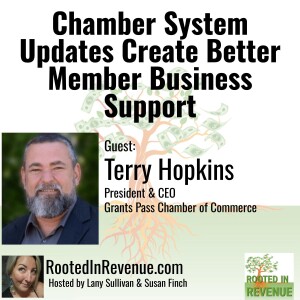
Terry Hopkins | President & CEO, Grants Pass Chamber of Commerce:
Grants Pass native Terry Hopkins has returned to his roots after a diverse hospitality career across five states. With over 25 years of business ownership and management experience in Southern Oregon, Terry recently spent 5 years as a business advocate with the Oregon Restaurant & Lodging Association. Married for 20+ years with two sons, Terry is passionate about community service, having served on numerous Chamber and city committees. He's excited to join the Grants Pass & Josephine County Chamber of Commerce team to advocate for local businesses and enhance community development.
[email protected] | 541-956-4100
Apr 8, 2025
Apr 8, 2025
42 min
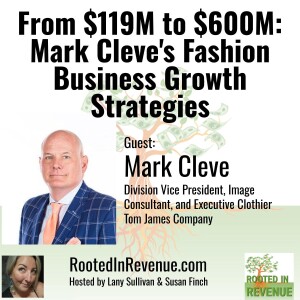
Lany Sullivan sits down with Mark Cleve, who shares his remarkable 32-year journey with Tom James, the premium custom clothing company that's grown from $119 million to over $600 million during his tenure. Mark reveals the business philosophy that has guided his success: "You don't build a business, you build people and people build a business."
From his early door-to-door book-selling experiences to becoming a trusted name in custom clothing, Mark offers powerful insights on why clothing matters, how to build systems that scale, and why the ultimate business legacy is reliability. Discover why Mark has only lost clients for three reasons: how the right clothing creates both confidence and respect, and why he believes that dressing appropriately for occasions shows respect for others. Whether you're in fashion, sales, or any client-facing business, Mark's practical wisdom on creating "consciously competent" customers who trust you completely offers a blueprint for building your lasting business legacy.
Connect with Mark:
[email protected] | 503-819-7001
LinkedIn | Instagram | Website
About Mark Cleve
Mark Cleve is a Division Vice President, Image Consultant, and Executive Clothier at Tom James Company, the world's largest manufacturer and retailer of custom clothing. Based in Portland, Oregon, Mark has dedicated over 32 years to helping professionals elevate their presence through tailored wardrobe solutions. With a client-centric approach, he meets individuals at their homes or offices, crafting bespoke garments that reflect their unique style and career aspirations.
His career began at Southwestern Company, selling educational books door-to-door—an experience he calls the hardest and best job he ever had. A graduate of Indiana University Bloomington (B.A. in Religious Studies and English), Mark brings analytical insight and interpersonal skill to his work.
Beyond his professional life, Mark enjoys music, food, wine, travel, and the outdoors. He takes pride in delivering concierge-level service that empowers clients to make lasting first impressions across all aspects of their professional and social lives.